



Quick Summary
- Buying leads means purchasing verified B2B contact records (name, title, email, phone, firmographics) from a data platform instead of building lists manually.
- High-quality leads meet four criteria: accuracy (real-time verified), intent (active buying signals), fit (matches your ICP) and recency: B2B data decays 30-70% per year.
- Buying leads is legal when the provider complies with GDPR (EU), CCPA (California), TCPA (US phone) and CAN-SPAM (US email).
- Platforms range from $19-$99/month for self-serve plans to $15,000+/year for enterprise tools; most offer a free trial before you commit.
- UpLead leads on verified accuracy (95%+ guarantee, 160M+ contacts); Apollo is strongest for all-in-one sales engagement; Cognism is the top pick for EMEA phone-first teams.
- After buying, import into your CRM immediately, verify emails, segment by fit and intent, and run at least five touchpoints before marking a contact cold.
Your sales team is sending emails, making calls, scrolling LinkedIn. The pipeline stays thin. At some point the math stops working, and you need a faster way in.
The real question isn’t whether to buy leads. It’s where to buy business leads, how to verify data quality before you commit and how to make a purchased list work alongside your existing outbound and inbound efforts.
In this guide, we cover what makes B2B lead data worth paying for, the compliance framework you need before buying leads online, and a structured review of 12 verified lead platforms for 2026. Each review follows the same format so you can compare directly: what the platform does well, who it’s built for, where it falls short according to verified user reviews, and what it actually costs.
What Does It Mean to Buy Leads?
Buying leads means purchasing contact information for prospects who already match your target customer profile. Instead of building lists from scratch through outbound research or waiting for inbound marketing to ramp up, you access a curated list of potential customers gathered by a third-party lead provider. It’s a shortcut to a populated pipeline.
A standard lead record from a B2B data platform includes name, job title, verified email address, direct-dial phone number, company name and size. Better platforms add technographic data (the tools a company uses) and buyer intent signals (behavioral data showing recent research activity in your category).
Leads come in two forms: exclusive and non-exclusive. Exclusive leads go to one buyer only. Your team’s the only one calling that prospect. Non-exclusive leads are sold to multiple buyers at once, so several competitors may reach out to the same person in the same window. The pricing reflects that gap: exclusive leads cost more but convert 2-4x better than shared lists in most B2B verticals.
There’s also a meaningful difference between B2B and consumer leads. Consumer leads target individuals for personal purchases. Business leads target decision-makers at companies based on firmographic fit. When buying leads online for a B2B sales motion, you want verified business contacts with job titles, company details and direct contact information, not consumer mailing lists that lack role-level targeting.
UpLead Quick Take
What buying leads is NOT
- Not the same as buying a mailing list. B2B data platforms verify contact records; consumer mailing lists rarely do
- Not web scraping. Reputable providers collect data through consent-based, legally compliant methods
- Not a paid ads substitute. You own the contacts and can reach out directly without ongoing ad spend
Why Do Businesses Buy Leads?
Businesses buy leads to jumpstart outreach without waiting months for inbound marketing to ramp. It’s the fastest way to drive pipeline growth. A good lead list gives a sales team immediate access to more qualified leads who match the ideal customer profile. Here’s why teams across every industry use purchased B2B data alongside their own pipeline work.
Immediate access to qualified prospects
Inbound marketing builds long-term equity but takes months to generate consistent pipeline. That’s not useful when you’ve got a quarterly target to hit next week. Buying leads from a verified B2B database gives reps a list they can work the same day. When inbound volume falls short, purchased data closes that gap without waiting for campaigns to mature.
Precision targeting by job title, industry and company size
B2B data platforms let you filter by job title, industry, company size, revenue range and geography. That’s a significant step up from broad campaigns that hope to reach the right person. You build a list of exactly the buyer type that closes. Platforms like UpLead and Apollo layer in Bombora intent signals so you can narrow further to companies that are researching your category right now.
Scalable outreach without stretching your team
A cold calling team with spare capacity can double its outreach volume in a day by importing a fresh verified list. It’s that simple. That’s not an exaggeration. Credit-based platforms like UpLead and RocketReach scale up or down each billing cycle, giving sales teams access to more contacts as soon as pipeline capacity opens up. No multi-year contract obligations, either.
Smarter use of sales rep time
Building prospecting lists from scratch takes time. It’s not a trivial overhead. Searching LinkedIn profiles, scraping company websites, guessing email formats: it can eat 2-3 hours per rep per day before a single outreach message goes out. Purchased verified data cuts that overhead entirely. Teams using intent data go further still: buyer intent signals highlight which companies are evaluating solutions like yours right now, so reps can prioritize the highest-probability contacts instead of working cold lists in random order.
Measurable ROI through cost-per-lead tracking
Lead purchasing runs on a CPL (cost-per-lead) or subscription credit model. Either way, you know exactly what you’re spending per contact before the campaign starts. That predictability makes it easy to calculate cost per opportunity, compare it against your average deal value and decide whether a list source’s worth repeating. That kind of accountability is genuinely hard to achieve with brand-building or SEO investment.
What Makes a B2B Lead High Quality?
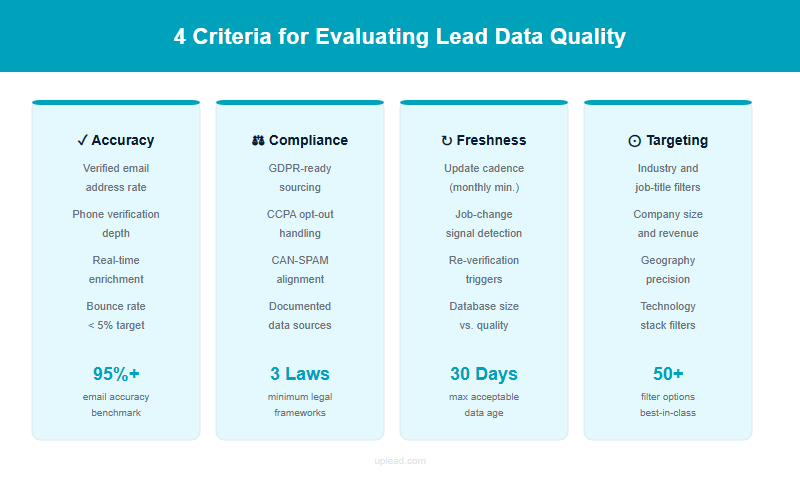
High-quality leads meet four criteria: accuracy (contact data is current and verified), intent (the prospect has shown buying signals), fit (the company matches your ICP) and readiness (the prospect can act soon). A lead that fails even one of these criteria will either waste your team’s time or never convert. The price per record doesn’t change that.
Accuracy matters most because B2B contact data decays at 30-70% per year. Job titles change, people leave companies, phone numbers go stale. A list that looked clean in January can be 40% outdated by December. Lead quality varies significantly across providers for this reason: a platform that refreshes its accurate database in real time delivers fundamentally different results than one running quarterly batch updates. Low quality leads (stale emails, disconnected numbers, wrong job titles) waste rep time and inflate bounce rates. Providers that verify emails in real time at the point of export consistently deliver lower bounce rates and higher connect rates than static-database alternatives.
At a Glance
The 4 criteria for a high-quality B2B lead
Accuracy: contact data is current and verified in real time · Intent: the prospect shows buying signals · Fit: the company matches your ICP · Readiness: the prospect can act soon
Exclusive vs. Non-Exclusive Leads: What the Difference Costs You
Exclusive leads go to one buyer only. The prospect isn’t getting calls from three of your competitors at the same time. Non-exclusive leads are cheaper, often 40-60% less per contact, but shared-lead benchmarks across verticals show they convert 2-4x lower than exclusive data because competing reps reach the same person at once.
B2B database platforms like UpLead, Apollo and ZoomInfo operate on a de-facto exclusive model: you search and export the contacts yourself, and the list is yours. Consumer-style lead sellers and insurance lead aggregators are more often the ones selling the same contact to multiple buyers in real time. When evaluating a provider, ask explicitly whether the data you export is available to other accounts at the same time.
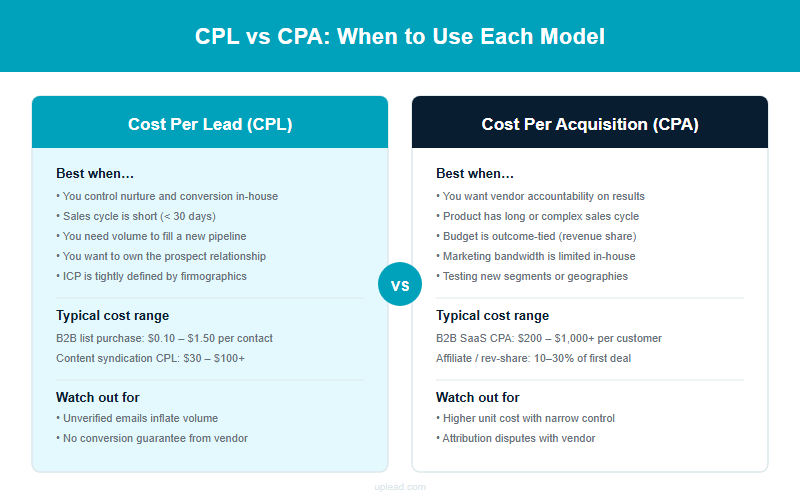
CPL vs. CPA: choosing the right pricing model
Two pricing models dominate the market. Understanding which fits your team avoids overpaying.
| Model | What you pay for | Best for |
|---|---|---|
| CPL (cost per lead) | Each contact record exported from the platform | Teams building targeted outbound lists; predictable CAC tracking |
| CPA (cost per acquisition) | Only when a lead converts to a paying customer | Performance-based agencies; teams with lower upfront budgets |
Self-service B2B databases (UpLead, Apollo, ZoomInfo) operate on CPL via subscription credits. You’re paying for data access, not conversion outcomes. CPA arrangements are more common with agency lead generation experts that run full campaigns on your behalf (handling targeting, outreach and follow-up) and charge only on results. If your team lacks outbound capacity, a CPA agency model can fill pipeline without adding headcount.
Is Buying Leads Legal?
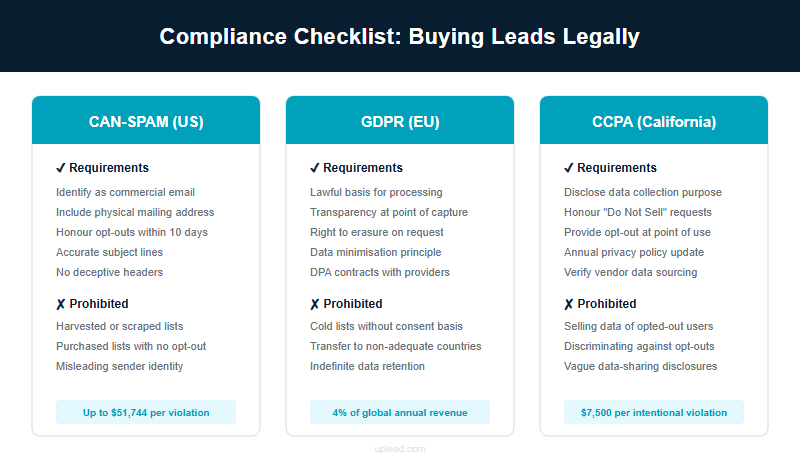
Buying leads is legal in most countries when the data provider follows applicable data protection laws. Legality depends on how the leads were collected, what the prospect consented to and which jurisdiction they’re in. Though most reputable platforms are compliant, the responsibility ultimately sits with you. Using a reputable provider that documents its data collection methods is the clearest path to compliance, but you still bear responsibility for how you use the data once it’s in your hands.
GDPR: EU Data Protection Requirements
The General Data Protection Regulation requires a lawful basis for processing personal data. It’s the most comprehensive data protection law in the world. For B2B contact data, legitimate interest is the most commonly cited basis, but it’s got to be documented and balanced against the individual’s rights. A GDPR-compliant provider should be able to explain how each record was collected and provide evidence of that compliance. If they can’t, that’s a red flag. Maximum fines for serious violations reach €20 million or 4% of global annual turnover, whichever is higher. That’s not a theoretical risk. EU regulators have issued nine-figure fines against major companies since 2021.
CCPA: California Consumer Data Rules
The California Consumer Privacy Act grants California residents the right to know what personal data is collected about them, opt out of its sale and request deletion. If your lead data includes California residents, your provider should support CCPA opt-out requests and maintain a clear deletion policy. B2B data is partially exempt under CCPA when the data relates to individuals acting in a business capacity, but most reputable platforms maintain full CCPA compliance regardless. They’re doing it to reduce legal exposure.
TCPA: US Phone Contact Compliance
The Telephone Consumer Protection Act governs automated and manual phone calls and SMS messages in the US. Contacting a lead by phone without proper consent’ll trigger $500 per violation for standard breaches and $1,500 per violation for willful violations, with no cap on total damages. A list of 1,000 unlawful calls could cost you up to $1.5 million. Before running any call campaign, verify that phone leads in your purchase have valid consent documentation, check your list against Do Not Call lists maintained by the FTC and your state, and confirm your provider’s process for honoring opt-out requests.
CAN-SPAM: US Email Outreach Rules
CAN-SPAM sets the rules for commercial email in the US. Every outbound email must include a valid physical address, a clear opt-out mechanism, a non-deceptive subject line and your company’s identity. Purchased B2B contacts can be emailed under CAN-SPAM as long as those requirements are met. There’s no consent requirement for initial outreach in the US under CAN-SPAM, but recipients must be able to opt out and those requests must be honored within 10 business days.
Checklist
- Ask how the provider collected each record and what consent basis it holds
- Confirm the provider has a documented GDPR or CCPA compliance process
- Check that phone leads include express written consent before running any call campaign
- Verify the provider supports opt-out requests and can remove records on request
How to Evaluate a Lead Provider
Most lead providers sound identical in their marketing. Every one claims high accuracy, easy integrations and compliant data. These seven criteria separate the ones worth paying for from the ones that’ll waste your budget.
- Stated data accuracy rate: look for providers that publish a specific percentage and back it with a credit-refund guarantee for bounced records. “High accuracy” without a number is a marketing claim, not a commitment.
- Verification method: real-time email verification at the point of export is the gold standard. Static database refreshes, even quarterly ones, let significant decay accumulate between updates.
- Compliance documentation: reputable providers can explain exactly how each record was sourced, which regulations they comply with and what their opt-out process looks like. If the answer is vague, walk away. You’ll find a better provider.
- Sample list before purchase: every credible provider offers a free trial or sample credits. Test the data against your ICP before committing to a subscription. If the sample hits your phone numbers and emails, the full plan’ll likely hit too.
- Search filter depth: basic filters (industry, location, job title) are table stakes. Intent data, technographic filters, company growth signals and contact-level activity indicators separate the best platforms from average ones.
- CRM integration and export options: verify the platform exports directly to your CRM (Salesforce, HubSpot, Pipedrive) or via Zapier. Manual CSV uploads add friction and errors at scale.
- Accurate phone numbers: check whether the platform provides direct dials and mobile numbers alongside emails. Platforms that verify phone data separately from email, or offer human-verified mobiles, deliver meaningfully better connect rates than those that infer numbers from patterns.
- Pricing model fit: credit-based plans (pay per contact exported) suit targeted list-building. Unlimited subscription tiers suit high-volume teams. Understand what you’re paying per usable lead, not just per credit.
Red flags when choosing a lead provider
These warning signs have cost teams thousands in wasted spend and legal exposure. If you see more than one of them on a provider’s site, keep looking. Most good providers won’t show any of these.
Checklist
- No stated accuracy rate or guarantee (“we have millions of records” isn’t a quality claim)
- No free trial or sample data before purchase
- Pricing hidden behind a sales call with no published tiers at all
- No clear compliance documentation for GDPR or TCPA
- Auto-renewal clauses with no easy cancellation path
- No credit-back policy for bounced or inaccurate records
- Customer reviews that consistently mention outdated phone numbers or high bounce rates
Find the Right Lead Source for Your Team
Browse verified leads by industry, lead type, or contact format. Every page links to a ready-to-export list.
Buy Leads by Industry
Leads by Channel & Quality
Free Lead Resources
Email Lists & Databases
Contact & Calling Lists
12 Best Places to Buy Leads in 2026
The reviews below cover 12 platforms across the full spectrum of B2B lead buying: high-accuracy database tools, all-in-one sales engagement platforms, LinkedIn-first contact tools, enterprise account intelligence systems and regional specialists. Each is reviewed on data accuracy, compliance, pricing, CRM integration and who it’s actually built for. UpLead leads on verified accuracy with a 95%+ guarantee. Apollo is the strongest all-in-one option. Cognism is the top choice for EMEA phone-first prospecting. The comparison table gives a full side-by-side view before the individual reviews.
| Provider | Best For | Not Ideal For | Pricing | Customer Ratings |
|---|---|---|---|---|
| UpLead | High-accuracy verified B2B data with real-time email verification | Very large-volume teams needing unlimited exports at low per-credit cost | Free trial (5 credits); from $99/mo or $74/mo annual | G2 4.7/5 |
| Apollo | All-in-one prospecting and sales engagement in a single platform | Teams that need only data without outreach tools and want simpler pricing | Free plan (50 credits/mo); from $49/user/mo annual | G2 4.7/5 |
| Cognism | GDPR-compliant EMEA phone data and phone-verified mobile numbers | SMB teams with a limited budget (contract minimums start high) | Custom annual pricing (platform fee + per-user) | G2 4.6/5 |
| Lead411 | Intent-driven direct dials with Bombora B2B intent data built in | Teams that don’t need intent data and want a lighter, lower-cost tool | From $49/mo monthly ($490/year annual); higher tiers custom | G2 4.5/5 |
| ZoomInfo | Large enterprise sales teams needing deep account intelligence at scale | SMBs and solo reps (pricing and contract size are enterprise-only) | Custom (SalesOS from ~$14,995/year) | G2 4.5/5 |
| SalesIntel | Human-verified B2B contacts with 95% data accuracy and intent data | Teams without a dedicated ops or rev-ops function to manage the platform | Individual from $99/mo annual; team plans custom | G2 4.3/5 |
| Lusha | Fast contact reveals directly in LinkedIn via Chrome extension | Teams needing deep intent data or large-volume exports at a low per-contact cost | Free plan (40 credits/mo); from $22.45/user/mo annual | G2 4.3/5 |
| LeadIQ | LinkedIn-to-CRM lead capture with one-click sync and sequence triggers | Teams that don’t use LinkedIn Sales Navigator as a core prospecting workflow | Free plan; from $200/mo (Pro, scales by volume) | G2 4.2/5 |
| RocketReach | Budget-friendly individual contact lookups with a simple per-lookup model | Teams needing advanced filtering, intent data or CRM workflow depth | From $19/mo annual (email only); from $52/mo annual (email + phone) | G2 4.4/5 |
| Seamless.AI | High-volume AI-sourced contact search with real-time lookup engine | Teams that prioritize verified mobile accuracy over raw contact volume | Free (50 lifetime credits); Basic $147/mo; Pro/Enterprise custom | G2 4.4/5 |
| Kaspr | European LinkedIn prospecting with GDPR-compliant credits | US-focused teams (Kaspr’s coverage outside Europe is significantly thinner) | Free plan (15 B2B email credits/mo); from $49/mo (monthly) | G2 4.4/5 |
| D&B Hoovers | Deep global company intelligence and firmographic research for enterprise ABM | SMBs needing simple contact exports (the platform is complex and priced for enterprise) | Essentials $49/mo; enterprise custom pricing | G2 4.1/5 |
UpLead: Best for High-Accuracy, Verified B2B Data
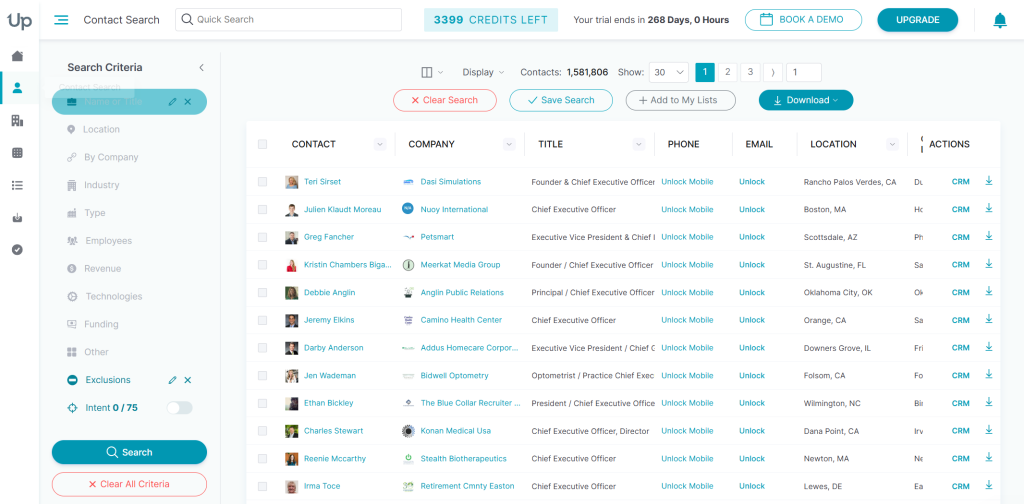
UpLead is a focused, high-accuracy B2B data platform built for sales teams that can’t afford to burn time on bounced emails and stale phone numbers. The platform has 160+ million verified business contacts across every major industry, with real-time email verification at the point of export, not from a static database last refreshed weeks ago.
That real-time verification is what separates UpLead from most competitors. When you export a contact, UpLead is checking the email address against live mail server data before delivering it. If the email bounces, you’ll get the credit back. That guarantee backs the stated 95%+ accuracy rate and turns it from a marketing claim into a commitment that’s refundable.
The platform covers 50+ advanced search filters including job title, industry, employee count, revenue range, tech stack and geographic location. While most platforms stop at firmographics, UpLead adds intent data and signal data on top. That means you can filter by companies actively researching topics relevant to your product category, including tracking anonymous website visitors who haven’t filled out a form yet, moving you from cold outreach to personalized outreach aimed at relevant leads already in a buying motion.
Integrations cover Salesforce, HubSpot, Pipedrive, Zoho and Outreach, plus Zapier for custom workflows. The Chrome extension lets you pull verified contact data while browsing LinkedIn or company websites without leaving the page.
Customer Results
What UpLead customers have achieved
Code Red Safety: $150,000 in new business in 60 days. Kyle Mende, national account manager at Code Red Safety (a safety services company for the oil, gas and construction industries), needed a faster way to reach decision-makers across the entire US without going door-to-door. Using UpLead’s verified contact data, his team closed $150,000 in new business within the first 60 days. Read the full case study.
Complete Merchant Solutions: $12-15M in monthly processing revenue. CMS, a payment processing company with a niche business model, needed a consistent source of relevant leads that matched their exact target profile. Using UpLead, they added two qualified partners per week, generating $12-15 million in processing revenue per month. Read the full case study.
Top features
- Real-time email verification at point of export with credit refund for bounced records
- 160+ million verified B2B contacts with 95%+ stated data accuracy
- 50+ advanced search filters including technographics and intent signals
- Bombora intent data integration for buyer intent filtering
- Direct CRM integrations (Salesforce, HubSpot, Pipedrive, Zoho, Outreach)
- Chrome extension for on-page prospecting via LinkedIn and company websites
- Bulk export and list management with CSV and CRM sync options
Pricing
7-day free trial at $0 with 5 credits. Essentials: $99/month (170 credits) or $74/month on annual billing (2,040 credits/year). Plus: $199/month (400 credits) or $149/month annual (4,800 credits/year). Professional plan: custom annual pricing. See full pricing at uplead.com/pricing.
Pros
- Real-time email verification backed by a credit-refund guarantee
- Consistently ranked #1 on G2 for Easiest to Use and Best ROI in the lead intelligence category
- Competitive pricing versus enterprise alternatives like ZoomInfo and Cognism
- Responsive customer support with low reported friction on cancellations
Cons
- Credits expire at end of billing period, with no rollover for unused monthly credits
- Database coverage for very small companies and niche industries can be thinner than larger enterprise platforms
- No built-in email sequencing or sales engagement tools (requires integration with a separate platform)
Best for: Sales and marketing teams across company sizes that need verified B2B data, intent signals and CRM integration in one platform. While competitors on this list excel in narrow segments (Cognism for EMEA phone, ZoomInfo for enterprise account intelligence, Lusha for LinkedIn one-click reveals), UpLead is built to cover the full range: from a solo rep on the Essentials plan to a mid-market team running intent-based sequences. It’s not the right fit for very large teams that need unlimited bulk export at the lowest possible per-credit cost.
Apollo: Best for All-in-One Sales Engagement
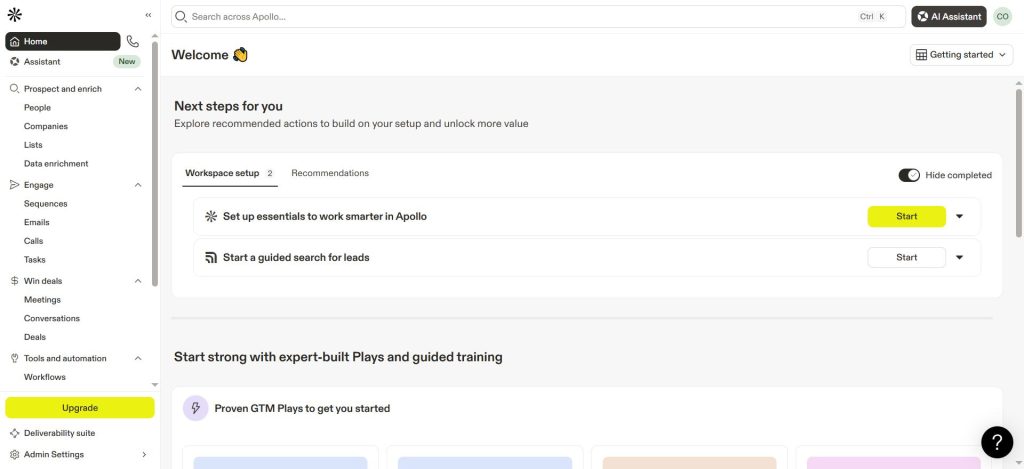
Apollo is a comprehensive, high-volume B2B data and sales engagement platform built for teams that want prospecting data and outreach automation in a single tool. The platform combines a 240+ million contact database with built-in email sequencing, dialer and analytics, making it a strong pick for teams that’d otherwise pay separately for a data provider and an outreach tool. The free plan makes entry easy, though the depth of features can feel like overkill for teams that only need clean contact data.
Top features
- 240M+ contact database with email and phone data
- Built-in email sequences and dialer
- LinkedIn Sales Navigator integration
- AI-powered lead scoring
- CRM integrations (Salesforce, HubSpot)
Pricing: Free plan (50 email credits/month). Basic: $49/user/month annual ($59/month billed monthly). Professional: $79/user/month annual. Organization: $119/user/month annual (3-user minimum). See pricing.
Pros
- Advanced filtering capability lets teams identify highly specific target accounts by industry, role and company size, reducing the need for multiple tools (Source: G2)
- Combining contact data, email sequencing and analytics in one platform removes the need for a separate outreach tool (Source: G2)
- Easy to find verified emails and phone numbers for decision-makers quickly, especially useful for manufacturing and other niche verticals (Source: G2)
Cons
- Phone number data (especially mobile numbers) is often inaccurate or outdated; numbers frequently belong to a different person or have been disconnected (Source: G2)
- Email credits run out quickly during bulk prospecting with no rollover; upgrading costs add up fast (Source: G2)
- Interface has a noticeable learning curve for advanced workflows and sequences; onboarding could be more guided for new users (Source: G2)
- Data accuracy for Europe and Asia is weaker than North American coverage; international emails bounce more frequently (Source: G2)
Best for: Small-to-mid-size sales teams that want one platform for prospecting and outreach. It’s less ideal for teams that need only a data source and prefer simpler credit-based pricing.
What users say: “One of the most valuable features is the advanced filtering capability. We were able to identify highly specific target accounts based on industry, role, and company size, which made our outreach much more focused.” (Christoph F., RVP, G2 review)
Cognism: Best for GDPR-Compliant EMEA Phone Data
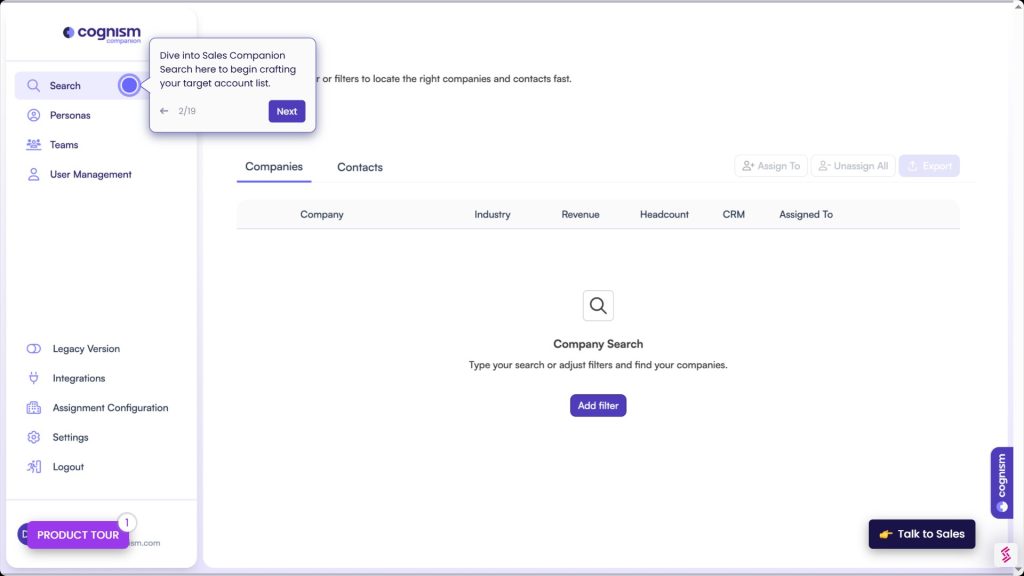
Cognism is a B2B sales intelligence platform built specifically for teams selling into European markets where GDPR compliance isn’t optional and phone-first prospecting requires verified mobile numbers. Its Diamond Data tier includes phone-verified mobile numbers (human-checked against live sources), which Cognism markets as the highest mobile accuracy rate in EMEA. That’s a claim that holds up in user reviews.
Top features
- Phone-verified EMEA mobile numbers (Diamond Data tier)
- Bombora intent data integration
- GDPR and CCPA compliance documentation
- Chrome extension for LinkedIn prospecting
- CRM integrations (Salesforce, HubSpot, Outreach)
Pricing: Custom annual pricing. Grow (formerly Platinum): platform fee from ~$15,000/year plus per-user licensing. Elevate (formerly Diamond): from ~$25,000/year. No monthly billing. See pricing.
Pros
- Diamond-verified mobile numbers deliver a noticeably higher connect rate on cold calls; when those numbers are called, the person almost always picks up (Source: G2)
- Fast Salesforce integration saves reps 30-45 minutes per day on admin tasks by pushing contacts directly from Cognism into CRM and into sequences (Source: G2)
- Built-in GDPR compliance and DNC scrubbing removes the need for manual compliance checks before calling into European markets (Source: G2)
Cons
- Pricing is on the higher end compared to alternatives; for smaller teams or startups with limited budgets it is a tough sell even when data quality is excellent (Source: G2)
- Contact coverage for niche industries and smaller companies can be sparse; the platform excels at enterprise and mid-market but returns limited results for very small firms (Source: G2)
- Intent data is still maturing compared to competitors; signals can be too broad or not actionable enough to prioritize outreach effectively (Source: G2)
- Contacts occasionally appear under old employers after job changes; data refresh cadence could be more frequent for role-change detection (Source: G2)
Best for: Mid-market and enterprise teams primarily selling into the UK, DACH or Benelux regions where phone outreach is core to the sales motion. It’s not the right fit for US-only teams or early-stage companies with budget constraints.
What users say: “It’s not uncommon to find prospects listed who have left their companies. Some email addresses appear to be generated based on patterns rather than verified, which can result in bounced emails.” (Melanie W., BDR, G2 review)
Lead411: Best for Intent-Driven Direct Dials
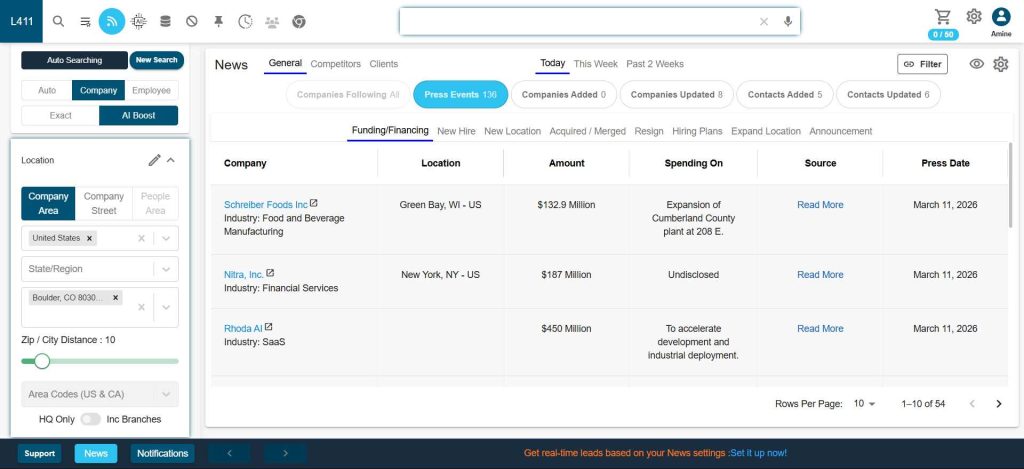
Lead411 is a B2B data platform built for sales teams that want to reach the right company at the right time. It combines verified direct-dial phone numbers with Bombora intent data to surface accounts actively researching relevant topics. The growth intent triggers (company hiring trends, funding signals and expansion events) add an extra layer of timing intelligence that most comparable platforms don’t include at this price. That’s genuinely useful.
Top features
- Bombora intent data built in at mid-tier pricing
- Growth intent triggers (hiring, funding, expansion signals)
- Verified direct-dial phone numbers for US contacts
- Reach email automation tool for outbound sequences
- 7-day free trial with 50 exports
Pricing: Free trial: 7 days (50 exports, verified emails, direct phone numbers). Spark: $49/month (monthly) or $490/year annual (12,000 exports). Higher tiers: custom quote. See pricing.
Pros
- Accurate, up-to-date contact data with real-time intent alerts helps teams prioritize prospects who are more likely to engage and time outreach better (Source: G2)
- Significantly more cost-effective than ZoomInfo; unlimited export model on higher tiers removes the credit-rationing problem mid-campaign (Source: G2)
- Growth intent signals (hiring, funding, expansion) add timing context that raw contact data alone doesn’t provide, helping reps call accounts that need a solution right now (Source: G2)
Cons
- Database is smaller than ZoomInfo or Apollo; European and APAC market coverage in particular is thinner and you sometimes can’t find the contacts you need (Source: G2)
- The built-in email sequencing tool (Reach) is functional but basic; advanced A/B testing and branching sequences require a separate sales engagement platform (Source: G2)
- Reporting dashboards are fairly basic and the UI hasn’t been updated significantly in a while compared to newer platforms (Source: G2)
Best for: US-focused sales teams that run intent-driven outbound and want verified direct dials plus buyer signals without paying enterprise pricing.
What users say: “Lead411 helps me and my team spend less time searching for leads and more time selling. It allows me to build accurate lists quickly and prioritize prospects who are more likely to engage.” (Rohit B., Manager, G2 review)
ZoomInfo: Best for Large Enterprise Sales Databases
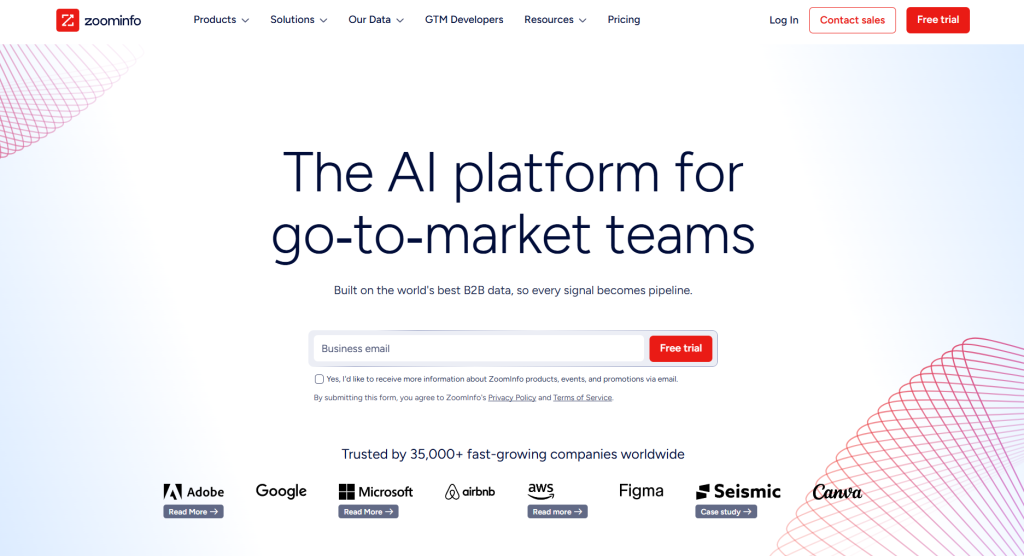
ZoomInfo is a comprehensive, enterprise-grade B2B intelligence platform built for large sales, marketing and revenue teams that need account-level data and buying signals at scale. The platform has over 260 million company profiles with deep firmographic and technographic coverage, plus a full product suite covering sales (SalesOS), marketing (MarketingOS), recruiting (TalentOS) and operations (OperationsOS). The database scale is unmatched on this list, but the pricing reflects that. It’s built for enterprise companies with dedicated ops teams and five-figure annual budgets.
Top features
- 260M+ company profiles and business contacts
- Buyer intent signals and signal data
- Conversation intelligence and call recording
- Org charts and corporate hierarchy data
- CRM integrations (Salesforce, HubSpot, Marketo)
- Advanced AI-powered search and account scoring
Pricing: Custom quote-based only. SalesOS Professional starts at roughly $14,995/year. Advanced and Elite tiers scale significantly above that. No monthly billing. Contact for pricing.
Pros
- Database depth stands out: org charts, technographics, buying signals and intent data all in one platform, valuable for enterprise sales teams targeting large accounts (Source: G2)
- Scoops feature surfaces real company events (new executive hires, expansions) that turn cold outreach into contextually relevant conversations (Source: G2)
- Best-in-class integration ecosystem with polished native connectors for Salesforce, HubSpot, Outreach, Salesloft and more (Source: G2)
Cons
- Pricing is extremely high and non-transparent; obtaining a quote requires a lengthy sales process and annual contracts offer limited flexibility (Source: G2)
- Data accuracy has declined noticeably: reviewers report higher email bounce rates and more outdated phone numbers, which is surprising at the premium price point (Source: G2)
- Contract terms are aggressive: auto-renewal clauses and difficult cancellation processes have frustrated many users; the customer experience does not match the premium positioning (Source: G2)
- Platform has become bloated and complex over time; finding specific functionality often requires digging through menus and simplicity has been sacrificed for feature count (Source: G2)
Best for: Enterprise sales and marketing teams with dedicated operations support and budgets to match. It’s not suitable for small or mid-market teams that need straightforward prospecting data without enterprise contract obligations.
What users say: “ZoomInfo Sales is very user-friendly and extremely easy to use. It’s dynamic and provides a lot of insight into potential prospects and decision-makers, even when full information isn’t available.” (Monica R., TA Coordinator, G2 review)
SalesIntel: Best for Human-Verified B2B Contact Data
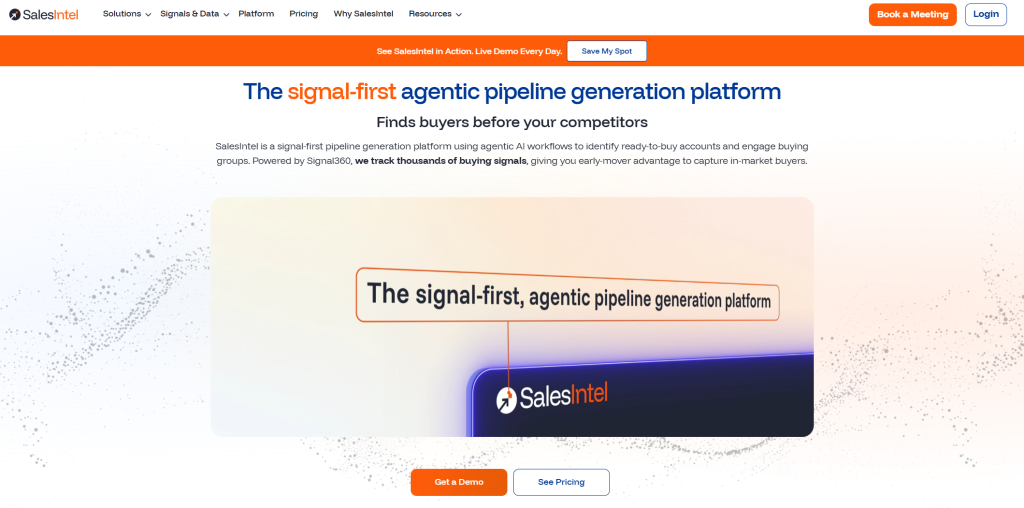
SalesIntel is a human-verified, intent-enriched B2B data platform built for mid-market and enterprise teams that need higher contact accuracy than algorithmic databases reliably deliver. Real researchers re-verify contact records every 90 days (not just automated checks), combined with Bombora intent data and rich technographic coverage. That positions it as a credible ZoomInfo alternative for teams where accurate contact data matters more than raw database volume.
Top features
- 90-day human-verified contact data for accurate contact data at scale
- Bombora intent data and signal data integration
- Technographic filters including tech stack detection
- Research-on-demand service for records not in the database
- Chrome extension for on-page prospecting
Pricing: Individual: $99/month annual ($129/month billed monthly). Individual Pro: $225/month annual. Team plans: custom. See pricing.
Pros
- Human-verified data means less time chasing bad numbers and more time in real conversations; the 90-day re-verification cycle builds genuine trust in the contacts (Source: G2)
- Research on Demand fills gaps when specific contacts aren’t in the database; the team finds and verifies the information on request, a service most tools don’t offer (Source: G2)
- More competitively priced than ZoomInfo while offering comparable data quality, hitting a sweet spot for mid-market companies that need good data without an enterprise budget (Source: G2)
Cons
- Accuracy for specific target demographics can fall below expectations; some users report spending weeks collecting sample data to prove data quality issues to the support team (Source: G2)
- Database coverage for certain verticals and international markets is thinner than competitors; teams targeting outside North America will frequently hit gaps (Source: G2)
- UI feels dated compared to newer platforms like Apollo or Cognism; the search experience works but lacks the modern filtering and visual organisation of more recently built tools (Source: G2)
Best for: Mid-market teams that run targeted, account-based outreach and need higher confidence in phone number accuracy than you’d typically get from algorithmic databases.
Not ideal for: Small teams or solo reps who don’t need intent data and find the platform overhead outweighs the accuracy benefit. ZoomInfo or Apollo will cover more ground if raw database size matters more than verification depth.
What users say: “SalesIntel is consistent in offering research and customer support, and this amplifies the outreach levels. Navigating SalesIntel is straightforward and there is no heavy training required.” (Samantha L., IT Manager, G2 review)
Lusha: Best for Fast Contact Reveals in LinkedIn
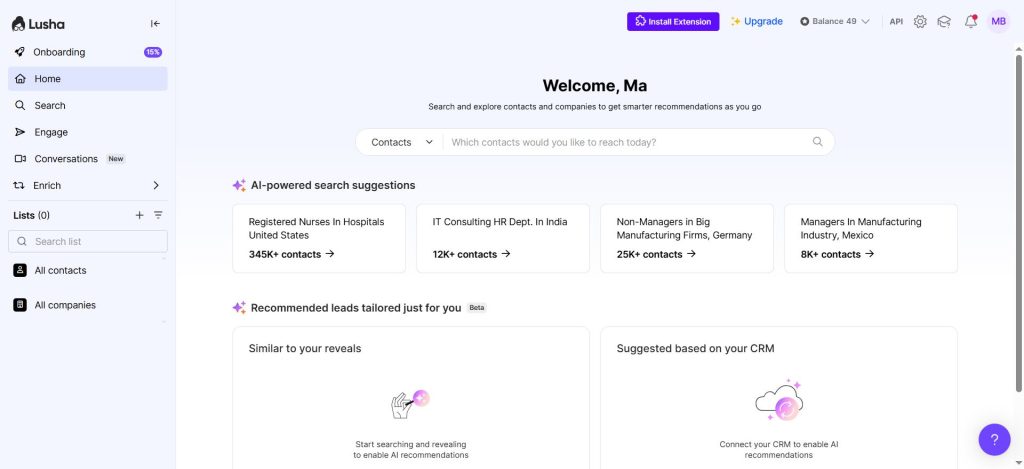
Lusha is a lightweight B2B contact data tool built around a Chrome extension that surfaces verified emails and direct-dial phone numbers directly inside LinkedIn profiles. The friction is low (install the extension, browse LinkedIn, click reveal), making it the fastest path from prospect discovery to verified contact info. It’s the simplest workflow for individual reps doing manual research.
Top features
- Chrome extension for direct LinkedIn contact reveals
- Verified direct dials and accurate phone numbers
- Free plan with 40 credits per month
- CRM integrations (Salesforce, HubSpot, Pipedrive)
- Bulk enrichment for list uploads and data enrichment workflows
Pricing: Free: 40 credits/month. Starter: $49.90/month (monthly) or $37.45/month annual. Premium and Scale: custom. See pricing.
Pros
- Simpler to use than Apollo or ZoomInfo: even a new team member can get up to speed quickly without training, making it fast to deploy across an SDR team (Source: G2)
- Reliable for pulling direct phone numbers from LinkedIn profiles; connect rates on cold calls improve noticeably because the numbers reach the right person directly (Source: G2)
- One-click Chrome extension workflow on LinkedIn: contact details appear instantly without leaving the page, saving significant research time per prospect (Source: G2)
Cons
- Credit system feels restrictive for high-volume prospecting; running out mid-campaign is disruptive and the cost of top-up credits or plan upgrades adds up quickly (Source: G2)
- No email sequencing, intent data or org chart views: Lusha is purely a data sourcing tool and requires additional platforms to actually execute outreach campaigns (Source: G2)
- Database coverage for countries outside the US and Western Europe is limited; SMB-heavy ICPs or emerging market targets will frequently hit gaps (Source: G2)
- Contact data is occasionally outdated: people who have changed roles still appear under their old employer, which is frustrating given data accuracy is Lusha’s core value proposition (Source: G2)
Best for: Individual reps and small teams that use LinkedIn as their primary prospecting channel and need quick, low-cost contact reveals without a full platform subscription. It’s a great starting point.
Not ideal for: High-volume outreach teams or anyone who needs intent data, advanced filters, or reliable non-US mobile numbers. Credit limits become a bottleneck quickly at scale.
What users say: “Compared with Apollo and ZoomInfo, I find Lusha much easier to use, to the point that even a rookie on the team can understand it quickly, whereas Apollo and ZoomInfo still feel more complex.” (Karan R., BDE, G2 review)
LeadIQ: Best for LinkedIn-to-CRM Lead Capture
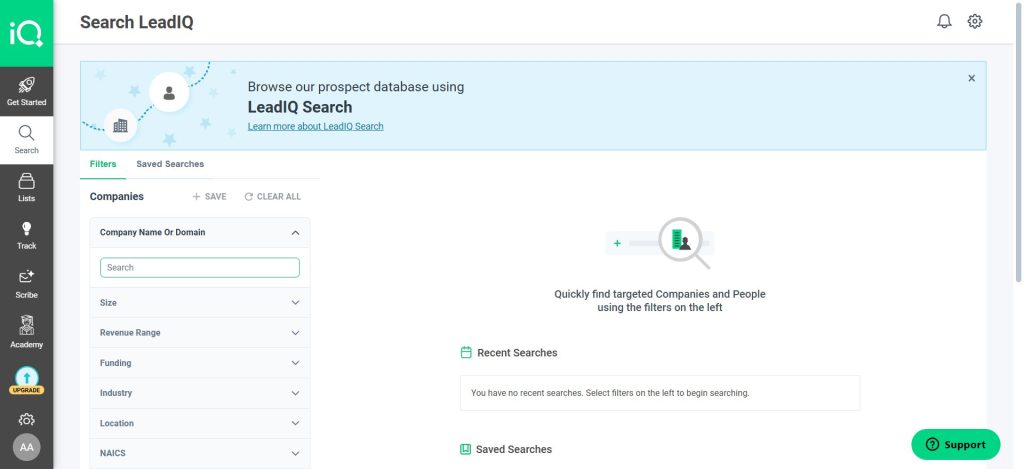
LeadIQ is a B2B contact data platform designed specifically around the LinkedIn Sales Navigator workflow. If you’re using Navigator daily, it’s worth a look. The Chrome extension captures prospect data from LinkedIn and pushes it into your CRM in one click. Reps aren’t stuck on manual data entry, so they’re focused on outreach rather than admin work.
Top features
- One-click LinkedIn-to-CRM capture for direct access to prospect records
- Sequence triggers from CRM events
- Contact tracking and job change alerts
- Salesforce and HubSpot integrations
- Free plan with 50 verified emails per month
Pricing: Free plan: 50 verified emails/month, 5 mobile numbers. Essentials: ~$36/user/month annual. Pro: ~$79/user/month. Enterprise: custom. See pricing.
Pros
- Instant Salesforce enrichment automatically populates contact fields in about five seconds when a new lead is added, eliminating manual data entry and speeding up CRM hygiene (Source: G2)
- Smart deduplication logic keeps the CRM clean when pushing contacts from LinkedIn; reps rarely end up with duplicates (Source: G2)
- AI personalisation feature (Scribe) drafts a relevant opening line from prospect signals, making personalised outreach faster without feeling generic (Source: G2)
Cons
- Credit limits on mid-tier plans are restrictive for high-volume SDR teams; teams have to be strategic about which contacts they spend credits on during busy periods (Source: G2)
- Phone number coverage (particularly mobile numbers) is hit or miss; email accuracy is generally strong but direct dials are less reliable, especially outside the US (Source: G2)
- The platform’s own prospecting database is smaller than ZoomInfo or Apollo; as a standalone prospecting tool without LinkedIn Navigator the database size is a limitation (Source: G2)
- Reporting and analytics within LeadIQ are basic; tracking prospecting activity or conversion metrics from LeadIQ-sourced contacts requires pulling data into a separate CRM or analytics tool (Source: G2)
Best for: Sales teams running LinkedIn Sales Navigator as their core prospecting workflow who need frictionless CRM sync. Less useful for teams that don’t use LinkedIn Navigator regularly.
What users say: “LeadIQ has helped our business increase data quality thanks to AI verification. It ensures contact numbers and emails are accurate and up to date. The browser extension ensures fast, one-click capturing of prospects from both CRMs and LinkedIn.” (Gerald S., Digital Marketer, G2 review)
RocketReach: Best for Budget B2B Contact Lookups
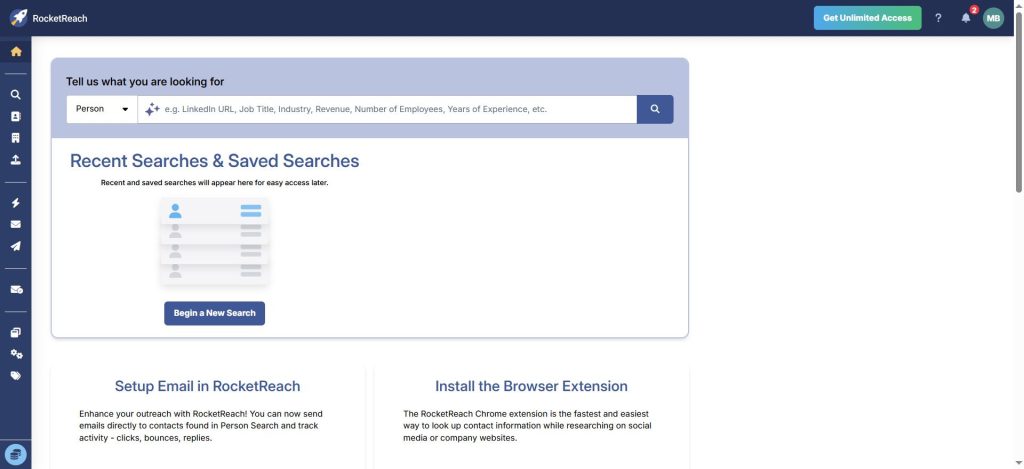
RocketReach is a B2B contact lookup platform that trades platform depth for accessibility. Although it lacks intent data, it’s hard to beat on per-contact price. It’s got individual email and phone lookups at a per-lookup annual rate that’ll undercut most competitors on per-contact cost. The Essentials plan is email-only; upgrading to Pro or Ultimate adds phone numbers and API access.
Top features
- Email and phone lookups with annual lookup bundles
- Chrome extension for on-page contact reveals
- Bulk lookup capability for list building
- API access (Ultimate plan) for custom integrations
- Basic CRM integrations
Pricing: Essentials (email only): $19/month billed annually ($229/year). Pro (email + phone): $52/month billed annually ($619/year). Ultimate: custom. See pricing.
Pros
- Helps teams quickly zero in on the actual decision-maker and get direct contact details that are usually accurate, more reliable than guessing from company websites (Source: G2)
- Bulk lookup feature saves significant time when enriching a list of names and companies; verified emails come back in bulk without looking people up one by one (Source: G2)
- One of the more affordable options in the B2B contact data space; solid email accuracy makes the value proposition strong for teams that primarily do email outreach (Source: G2)
Cons
- Phone number data quality is inconsistent; mobile and direct dial numbers often turn out to be wrong or belong to someone else, which is a significant drawback for cold-calling teams (Source: G2)
- Credits expire and do not roll over; paying for credits on a slow month means losing them at the end of the billing period (Source: G2)
- Database has notable gaps in certain industries and geographies; international coverage outside the US and UK is patchy and finding contacts in emerging markets is often difficult (Source: G2)
- No built-in email sequencing or outreach capability; RocketReach is purely a data sourcing tool and requires a separate sales engagement platform to act on the data (Source: G2)
Best for: Freelancers, solo reps and small teams that need simple contact lookups without a large upfront commitment. It’s not the right pick for teams that need filtering depth or intent data.
What users say: “RocketReach helps you quickly zero in on the actual decision-maker and gives you direct contact details that are usually spot on.” (Harsh S., Strategy Analyst, G2 review)
Seamless.AI: Best for High-Volume AI-Sourced Contact Search
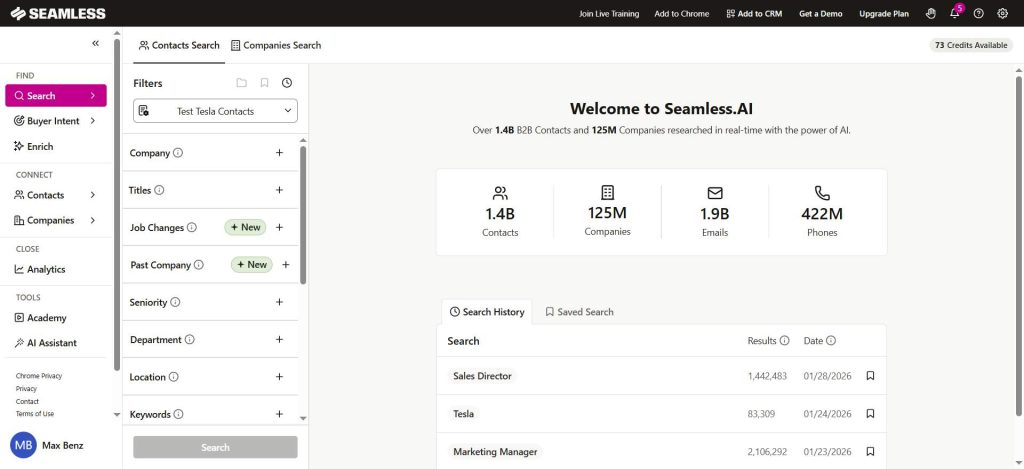
Seamless.AI is a real-time B2B contact search engine rather than a static database, using AI to find and compile contact data at the moment of search. That approach suits teams building very large lists quickly. However, reviewers flag that data accuracy, particularly for mobile numbers, can be lower than verified-database competitors.
Top features
- Real-time AI-driven contact search (not a static database)
- Chrome extension for on-page prospecting
- Autopilot list-building for high-volume workflows
- CRM integrations (Salesforce, HubSpot)
- Unlimited business searches on paid plans
Pricing: Free: 1,000 credits/year (granted monthly). Pro and Enterprise: contact sales for pricing. See pricing.
Pros
- Real-time AI search crawls the web at lookup time rather than pulling from a static database, often surfacing verified emails and direct dials that older database tools miss (Source: G2)
- Chrome extension makes LinkedIn prospecting fast, pulling verified contact data directly on the profile page in seconds without switching tools (Source: G2)
- Unlimited search model on certain plans removes credit anxiety and lets teams prospect freely during high-volume outbound sprints (Source: G2)
Cons
- Data accuracy is the most common G2 complaint: many reviewers report high email bounce rates and disconnected phone numbers despite the AI-powered real-time approach, which in practice is not consistently better than traditional database providers (Source: G2)
- The sales and onboarding process is described as aggressive across multiple G2 reviews, with users reporting they felt misled about pricing or plan inclusions and citing contract terms that are difficult to exit (Source: G2)
- CRM sync reliability is a recurring issue: integrating with Salesforce or HubSpot sometimes creates duplicates or drops fields, requiring manual cleanup that cancels out the time savings (Source: G2)
Best for: High-volume outbound teams that prioritize speed and list scale over verified per-contact accuracy. It’s not recommended for teams where email deliverability’s critical.
What users say: “The Chrome extension is the best part. Finding the right contact info used to take forever but now it just takes seconds. Data quality is surprisingly good, especially for tech startups.” (Yazid Y., Founder, G2 review)
Kaspr: Best for European LinkedIn Prospecting
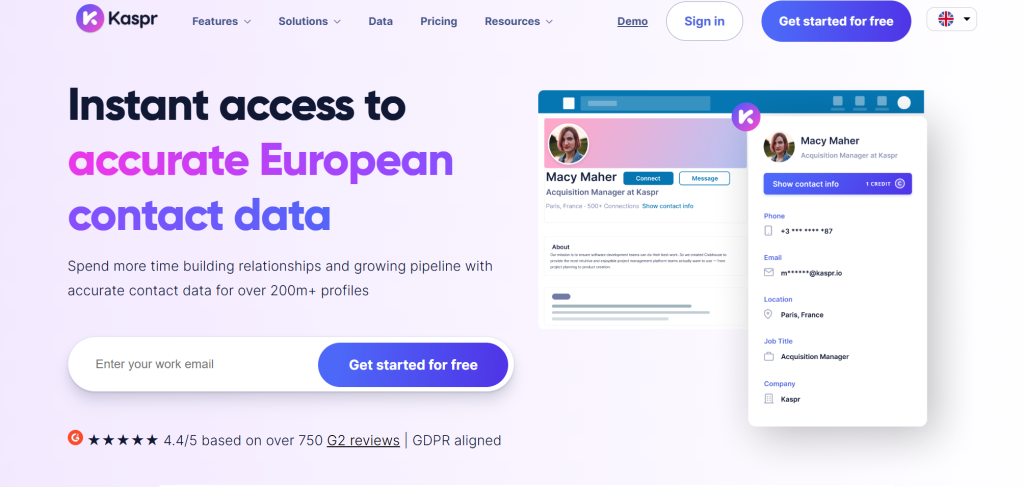
Kaspr is a GDPR-compliant B2B contact data tool built specifically for European sales teams that prospect through LinkedIn. Although its US database is thin, if you’re selling into France, Germany or the UK, it’s worth testing. The Chrome extension surfaces verified emails and phone numbers for LinkedIn profiles, and the platform’s focus on European data coverage means contacts in France, Germany, the UK and Benelux are more reliably accurate than with US-first platforms.
Top features
- GDPR and CCPA compliant data collection built into the platform
- LinkedIn Chrome extension for fast contact reveals
- B2B email and phone credits with flexible pricing plans
- Team management and admin controls
- Zapier integration for workflow automation
Pricing: Free: 15 B2B email credits/month. Starter: $49/month (monthly) or $65/month annual (more credits). Higher tiers: custom. See pricing.
Pros
- Chrome extension reveals verified work emails and direct phone numbers in one click on LinkedIn, eliminating hours of manual research with minimal onboarding required (Source: G2)
- European market coverage is a standout strength: UK, French, and DACH region contacts are consistently accurate and often outperform US-first tools in those markets (Source: G2)
- Price-to-value works well for individual contributors and small teams compared to enterprise tools like ZoomInfo or Cognism, making quality contact data accessible without an enterprise budget (Source: G2)
Cons
- US contact coverage is significantly thinner than European coverage; teams primarily targeting North American markets will find better data density with Apollo or ZoomInfo (Source: G2)
- Credit limits on lower-tier plans run out quickly during high-volume prospecting, and the cost of upgrading or buying additional credits can make the economics less attractive at scale (Source: G2)
- No built-in email sequencing or sales engagement: Kaspr is a data sourcing tool only, so teams need a separate platform to run outreach campaigns after finding contacts (Source: G2)
Best for: European-based sales teams that use LinkedIn as their primary prospecting channel and need GDPR-compliant contact data. US-focused teams’ll find coverage too thin to justify the cost.
What users say: “I love how fast, reliable, and low-effort Kaspr makes B2B contact discovery. It allows me to pull verified work emails and direct phone numbers in one click, eliminating hours of wasted research.” (Montalgo B., Mid-Market, G2 review)
D&B Hoovers: Best for Deep Global Company Intelligence
D&B Hoovers is a global company intelligence platform built for enterprise ABM and account research teams that need deep firmographic, financial and corporate hierarchy data before ever making contact. Built on Dun & Bradstreet’s 420+ million global business record database, the platform goes well beyond contact data into company financials, corporate family trees, industry classifications and risk indicators. That’s the depth enterprise teams need to qualify accounts before making any outreach.
Top features
- 420M+ global company profiles and business contacts
- Corporate hierarchy, org chart and company details
- Financial and risk data layers for enterprise account research
- Industry-level intent signals
- CRM integrations (Salesforce, Microsoft Dynamics)
- Essentials SMB plan available alongside enterprise tiers
Pricing: Pricing is quote-based only. Contact Dun & Bradstreet sales for current pricing. See pricing.
Pros
- Company hierarchy, location and industry data is all in one place, with clarity on corporate family trees and subsidiary relationships that most other platforms lack (Source: G2)
- Corporate family tree visibility is invaluable for enterprise ABM: knowing the full ownership structure helps teams identify the right entry point and avoid duplicate outreach across subsidiaries (Source: G2)
- Financial firmographic data including revenue ranges, employee counts and growth trends is more reliable than most other tools, supporting account scoring and territory planning (Source: G2)
Cons
- Contact-level data (individual emails and phone numbers) is significantly weaker than the company-level data; it is not the right primary source for finding individual decision-maker contacts (Source: G2)
- The interface feels dated compared to modern sales intelligence tools and has not been redesigned in years; workflows that should be simple, like exporting a list or setting up an alert, feel unnecessarily cumbersome (Source: G2)
- Integration options with modern CRMs and sales engagement platforms are limited compared to competitors; getting data out of Hoovers into your tech stack often requires manual CSV exports rather than native sync (Source: G2)
Best for: Enterprise account research, target market mapping and ABM programs where company-level intelligence matters more than individual contact accuracy. It’s not the right pick for teams that primarily need verified direct-dial phone numbers or email outreach lists.
What users say: “It shows company hierarchy, location address and industry all in one place. Other systems don’t have all this information in one place. The corporate hierarchy filters are especially useful.” (Marie J., Associate Consultant, G2 review)
What to Do After You Buy Leads
Buying a lead list is the start of the process, not the end. How you handle the data in the first 48 hours determines whether the purchase generates pipeline or sits unused in a spreadsheet. The teams that get the best results manage leads systematically from the moment of export: enriching records, segmenting by fit and building sequences before the data has a chance to decay. Follow these seven steps to turn a purchased list into active opportunities.
- Import into your CRM immediately. Map the exported fields to your CRM’s standard fields: first name, last name, email, job title, company, phone. Do not leave the list in a CSV on a desktop. Contacts that aren’t in the CRM are contacts that won’t be followed up on.
- Verify, clean and enrich the data. Even from a high-accuracy provider, run the list through an email verification tool (ZeroBounce, NeverBounce or your platform’s built-in verifier) before any email campaign goes out. Remove duplicates and contacts already in your database. Use data enrichment to fill missing fields (company size, revenue range or tech stack) before contacts enter a sequence.
- Segment by fit and intent. Divide the list by firmographic profile (company size, industry, geography) and, if intent data’s available, by intent score or topic. High-intent, high-fit contacts go into your priority sequence. Lower-fit contacts get a lighter-touch nurture cadence.
- Build personalized outreach for each segment. A cold email to a Director of Sales at a 50-person SaaS company shouldn’t read the same as a message to a VP of Operations at a 2,000-person manufacturer. Personalized outreach that references the prospective client’s industry, role or company context consistently outperforms generic templates. Match the use case, the pain point and the tone to the segment.
- Set a multi-touch follow-up cadence. Most conversions come from the 3rd to 8th touchpoint, not the first email. That’s worth remembering. Build a sequence: initial email → LinkedIn connection request → follow-up email → call → final email. Space touches 3-5 days apart.
- Track reply and conversion rates by segment. Monitor open rates, reply rates and booked meetings per segment. If a particular job title or industry sub-segment converts at 3x the average, double down on that ICP slice in your next purchase.
- Refine the list based on performance. After the first campaign cycle, you’ll remove contacts that bounced or never opened any touchpoint. Return invalid records to your provider for credit if the platform supports it. Feed the winner patterns back into your next search criteria. That’s how you compound ROI.
Checklist
- Import into CRM and map fields within 24 hours of purchase
- Clean and verify before sending any email campaign
- Segment by fit and intent before building sequences
- Personalize outreach copy per segment, not per individual
- Run at least 5 touchpoints before marking a contact as cold
- Track conversion metrics by segment, not just in aggregate
How to Choose the Right Lead Provider for Your Team
No single platform’s the best fit for every team. The right provider depends on your target geography, deal size, outreach motion and budget. That’s worth mapping out before you commit. Use this table to match your team profile to the right platform tier.
| Team profile | What to look for | Suggested tier / provider |
|---|---|---|
| Startup or solo rep (under 5 seats, tight budget) | Free plan or low-cost credits, verified emails, simple interface, no annual commitment required | UpLead Essentials, Apollo free plan, RocketReach Essentials, Lusha free tier |
| Mid-market team (5-50 seats, targeting North America) | Verified direct dials, intent data, CRM integration, bulk export, good US coverage | UpLead Plus or Professional, Apollo Basic/Professional, Lead411 Ignite, SalesIntel team plan |
| Enterprise team (50+ seats, global ABM or EMEA focus) | Company-level intelligence, phone-verified mobiles, deep account hierarchy, compliance documentation, dedicated CSM | ZoomInfo SalesOS, Cognism’s top tier, D&B Hoovers enterprise, SalesIntel enterprise |
If your team straddles tiers, start with a free trial or the lowest paid plan and test the data quality against your ICP before committing to an annual plan. Most platforms publish tiered pricing plans with a basic plan for individuals and custom enterprise plans for larger teams that need higher export volumes, dedicated support and advanced filters. The best providers give you enough trial credits to export 50-100 contacts in your exact target profile and run a small outreach test before you’ve spent serious money.
FAQ
Where to buy leads?
The best places to buy B2B leads are UpLead (best for verified accuracy), Apollo (best for all-in-one prospecting and outreach) and Cognism (best for EMEA phone data). If you’re budget-conscious, RocketReach and Lusha offer lower entry costs. For enterprise account intelligence, ZoomInfo and D&B Hoovers are the strongest options available.
Is buying leads legal?
Buying leads is legal in most jurisdictions when the provider’s collected data in compliance with applicable laws. In the EU, GDPR governs how personal data’s collected and processed. In the US, the CAN-SPAM Act covers email outreach and the TCPA covers phone and SMS contact. You’ll want to ask your provider for compliance documentation before you purchase.
How much do leads typically cost?
Self-service B2B data platforms price on a credit or subscription model, typically $0.50-$3.00 per contact depending on the platform and plan tier. Entry-level plans start around $33-$99/month, and they’re refundable if data doesn’t perform. Enterprise platforms like ZoomInfo and Cognism require annual contracts starting at roughly $14,995/year and $15,000/year respectively. The right cost metric isn’t cost per contact; it’s cost per qualified opportunity.
What should I consider when buying sales leads?
The four most important factors are the data accuracy rate (with a documented guarantee), compliance documentation for GDPR and TCPA, the availability of a free trial to test data quality against your ICP and pricing model fit (credits versus unlimited). Data decay rate and whether contacts are exclusive or shared should also factor into the decision.
What are exclusive leads?
Exclusive leads are contacts that’re sold to only one buyer. Unlike shared leads, where the same contact may be simultaneously sold to multiple businesses, exclusive leads give your team the only outreach opportunity. B2B database platforms like UpLead and Apollo operate on a de-facto exclusive model since you search and export contacts yourself and the list’s yours alone.
How can I ensure lead quality when buying?
Test with a free trial or sample credits before you commit to a plan. It’s the best way to validate data quality. Export 50-100 contacts that match your ICP and send a small outreach campaign. You’ll quickly see the open rates and bounce rates. Look for providers with a stated accuracy percentage backed by a credit-refund guarantee for invalid records and verify compliance documentation before purchasing phone data.
Will purchasing leads guarantee sales?
Purchasing leads doesn’t guarantee sales. The list quality, relevance to your ICP, outreach quality, follow-up cadence and product-market fit all determine whether purchased contacts convert. Lead buying fills the pipeline with qualified prospects. Converting them, however, still requires solid sales execution. Teams that see the best results use purchased data alongside strong outbound sequences and they’re consistent with follow-up.
How can I generate leads without buying them?
The main organic lead generation channels are content marketing and SEO, LinkedIn outreach and social selling, paid search, webinars and events and referral programs. Inbound methods build long-term pipeline equity. They’re slower to generate consistent volume, though, and won’t fill a thin pipeline quickly. Most high-performing sales teams combine purchased data for immediate pipeline with inbound for sustained growth.
Buy High-Quality Leads Without Overpaying
When teams decide to buy business leads, it comes down to three decisions: choosing a provider that verifies data before delivery, testing the data against your ICP before committing to a plan and starting small to prove ROI before scaling up spend. UpLead gives you 5 free verified leads to start, with no credit card required. See the data quality for yourself before you buy.





